

How Stingray Attacks Work
Stingrays operate by pretending to be legitimate cell towers. Your phone doesn’t know the difference—it just connects.
While it’s possible to disable 3G connections on some devices, there’s currently no guaranteed way to prevent connection to a 4G/LTE-based stingray if one is nearby. These attacks are most common at:
- Protests and demonstrations
- Public rallies
- Sporting events
- Crowded urban areas
The most effective protection is to turn your phone off or enable airplane mode, but that’s not always practical in daily life.
Rayhunter: An Open-Source Stingray Detection Tool
That’s where Rayhunter comes in.
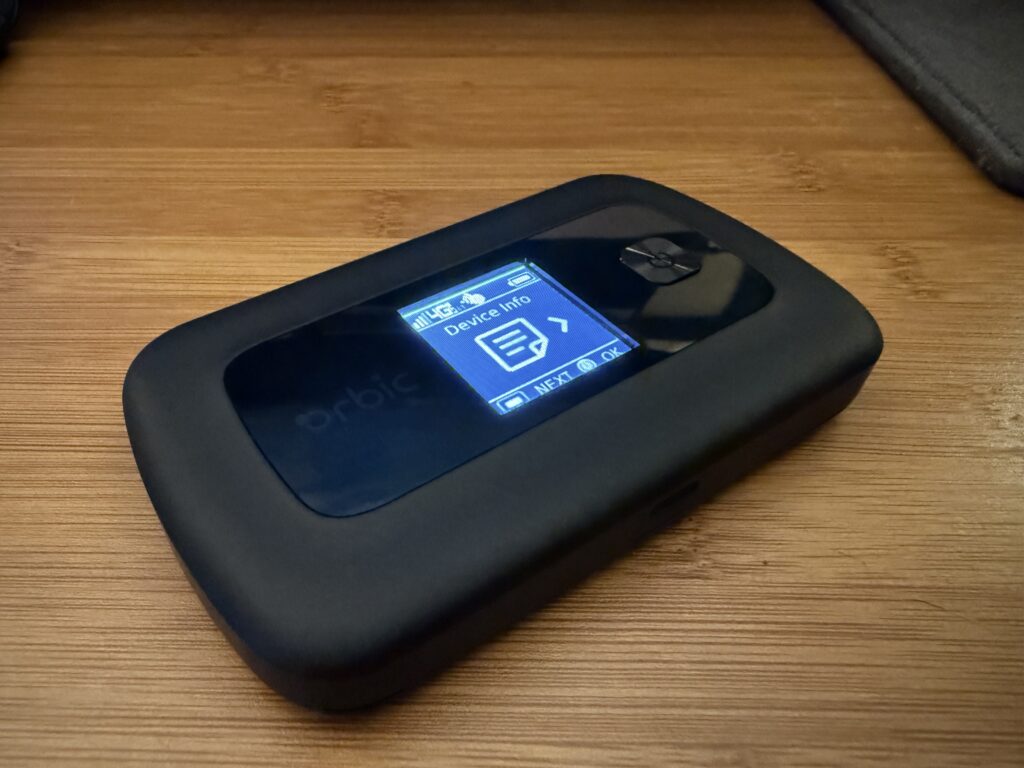
Rayhunter is an open-source stingray detection project developed by the Electronic Frontier Foundation (EFF). It runs on certain Verizon Wi-Fi hotspot devices, many of which are no longer actively used and can be purchased cheaply.
You can find compatible hotspots new or used on Amazon or eBay, often for around $40 or less.
Rayhunter works by monitoring suspicious cellular behavior and alerting you if a potential stingray is detected—without requiring an active cellular plan.
How Rayhunter Works in Practice
Once Rayhunter is installed:
- A green bar at the top of the hotspot screen means everything is running normally
- If the bar turns red, Rayhunter has detected behavior consistent with a stingray
- You can then download detailed logs for further analysis
The hotspot itself is small enough to:
- Fit in your pocket
- Sit in a backpack
- Remain plugged in at home for stationary monitoring
You can even remove the battery to prevent swelling and leave it plugged in full-time. It charges via USB-C, so I can use my iPhone charger with it.
My Experience Using Rayhunter
A few weeks ago, I bought one and started carrying it with me wherever I went. While I haven’t detected a stingray yet, it’s reassuring to know I’m not unknowingly connecting to one.
Setup was surprisingly easy. After ordering the hotspot from Amazon, it took a couple of weeks to arrive. The device I received was newer but didn’t include a SIM card—which is required for Rayhunter to function.
SIM Card Setup (Important Tip)
I went to a Verizon store to ask for a SIM card, but they refused to sell me one unless I also purchased a data plan.
Instead, I walked across the street to Best Buy and picked up a $10 “Bring Your Own Device” SIM kit, which worked perfectly. The SIM card does not need to be active for Rayhunter to work.
I’d recommend skipping Verizon entirely and grabbing one from:
- Best Buy
- Amazon
- Any major electronics retailer
Installing and Activating Rayhunter
Rayhunter can be installed on Windows, macOS, or Linux.
I followed this excellent Windows installation guide: YouTube Rayhunter Install Tutorial
Once the firmware is installed and you see the green bar, you’re good to go. Rayhunter will quietly monitor and log any suspicious cellular activity you encounter.
Final Thoughts
Rayhunter is a budget-friendly, open-source security project that adds an extra layer of awareness in a world where cellular surveillance is becoming more common.
It’s easy to set up, inexpensive, and provides peace of mind—not just for you, but for the people around you.
Helpful Links
- Rayhunter GitHub: https://github.com/EFForg/rayhunter/releases
- Verizon Hotspot Used: https://www.amazon.com/Orbic-Verizon-Hotspot-Connect-Enabled/dp/B08N3CHC4Y
- eBay Listings: https://www.ebay.com/sch/i.html?_nkw=orbic+rc400l
If you’re interested in IT services or managed IT support, feel free to reach out at contact@starman.tech.
Leave a Reply